Touch by Design
A hybrid control system for car interiors that brings physical interaction back alongside the touchscreen, so common functions can be found and used without looking away from the road.
- Type
- Automotive interface, physical and digital
- Context
- Independent Research Project, MA Design Products, Royal College of Art
- Year
- 2026
- Process
- Physical prototyping, 3D printing, driving-simulator testing
- Material accent
- Display amber
- Role
- Research, design, prototyping and testing
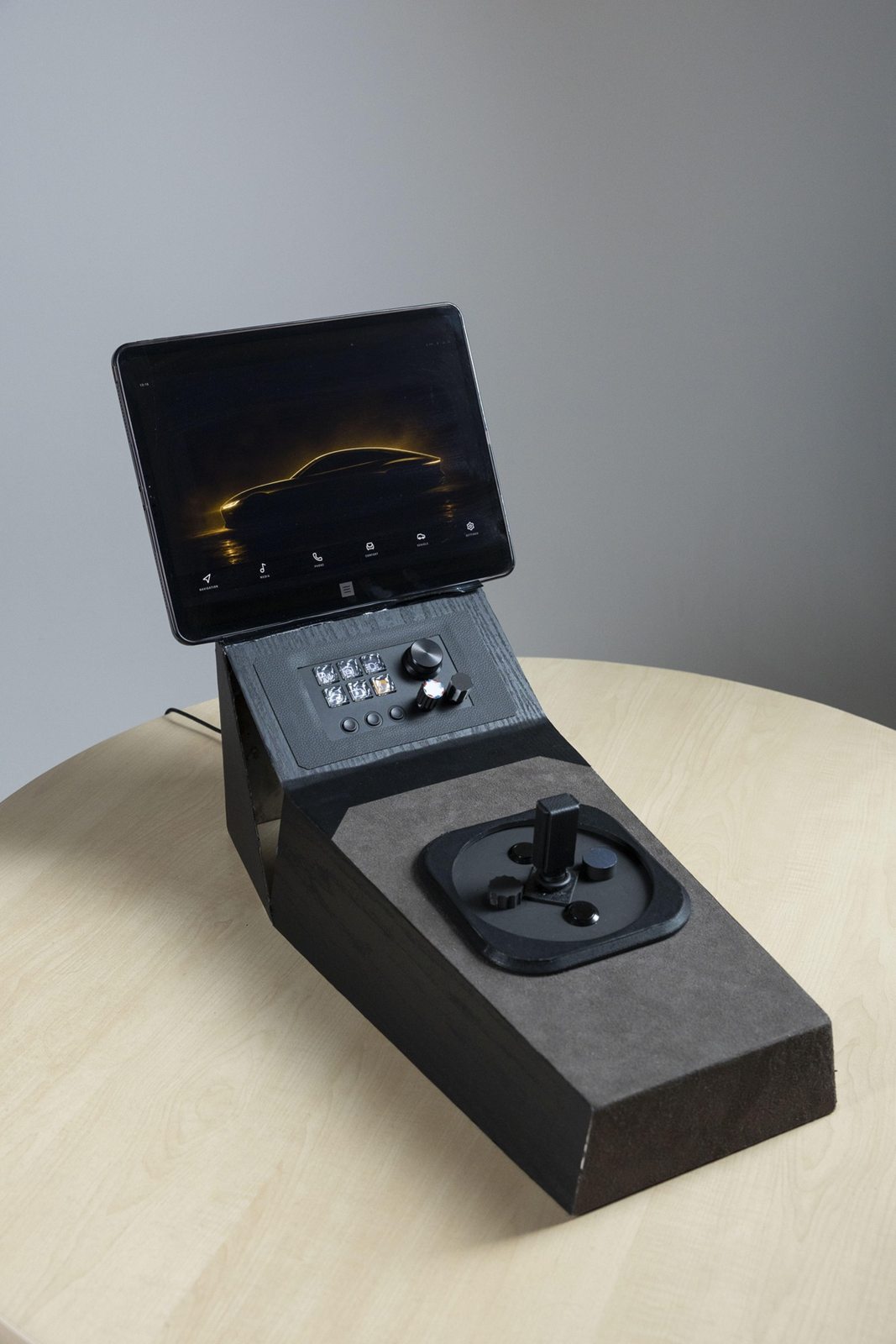
The question
As vehicles move towards touchscreen-based interfaces, everyday functions demand more visual attention from the driver. Screens are flexible, but they remove the clarity and immediacy that physical controls provide.
The project asks how tactile controls can offer the flexibility of a digital interface while reducing visual dependency. It was developed through physical prototyping, 3D printing and driving-simulator testing, built around tactile differentiation, spatial familiarity, physical feedback and eyes-free interaction.
Research to criteria
Early research established the value of physical controls, but the findings needed to be translated more directly into the design. I revisited three areas, physical control taxonomy, function hierarchy and aviation cockpit interfaces, and converted them into criteria for the next iteration.
One principle was consistent: a control should not only provide an input, it should communicate its function through touch, form and placement. This moved the off-the-shelf macro keypad from being the final interface to being a platform for testing designed tactile forms.
- Tactile differentiation →
- Different forms and surface profiles distinguish controls by touch.
- Function hierarchy →
- High-frequency functions receive stronger physical differentiation and accessibility.
- Spatial familiarity →
- Control positions remain consistent to support muscle memory.
- Physical feedback →
- Rotary and press interactions give clear confirmation of input.
- Reduced visual dependency →
- Controls must be identifiable and operable without looking away from the road.
Tactile control development
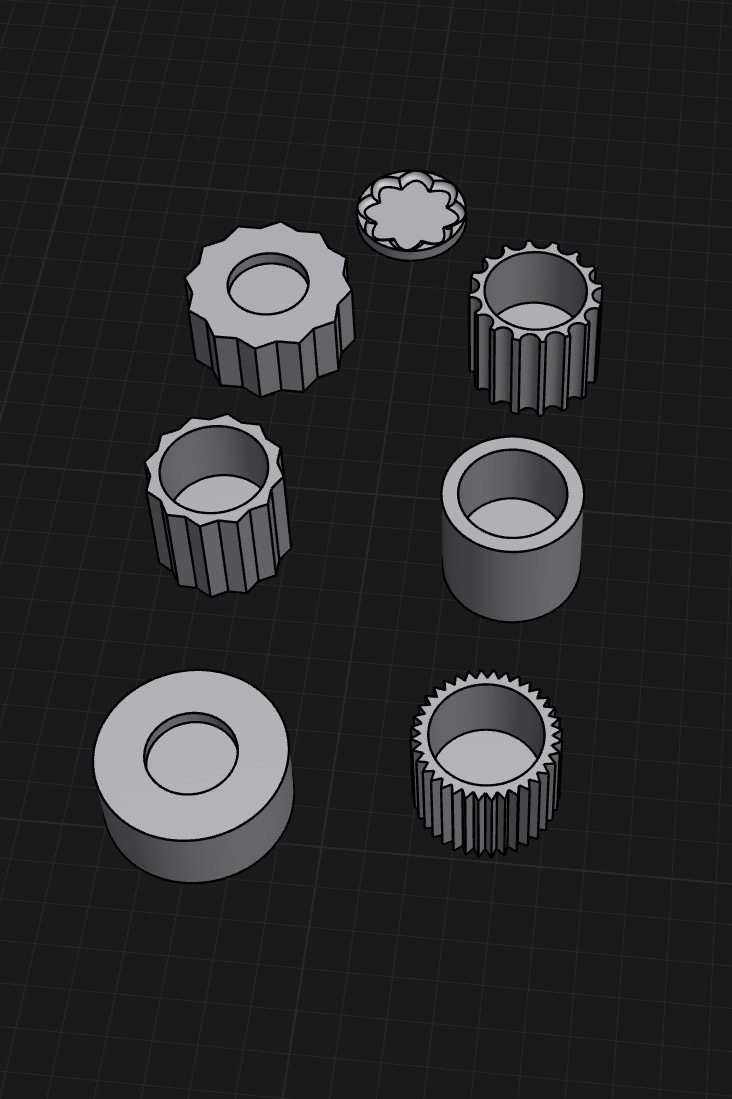
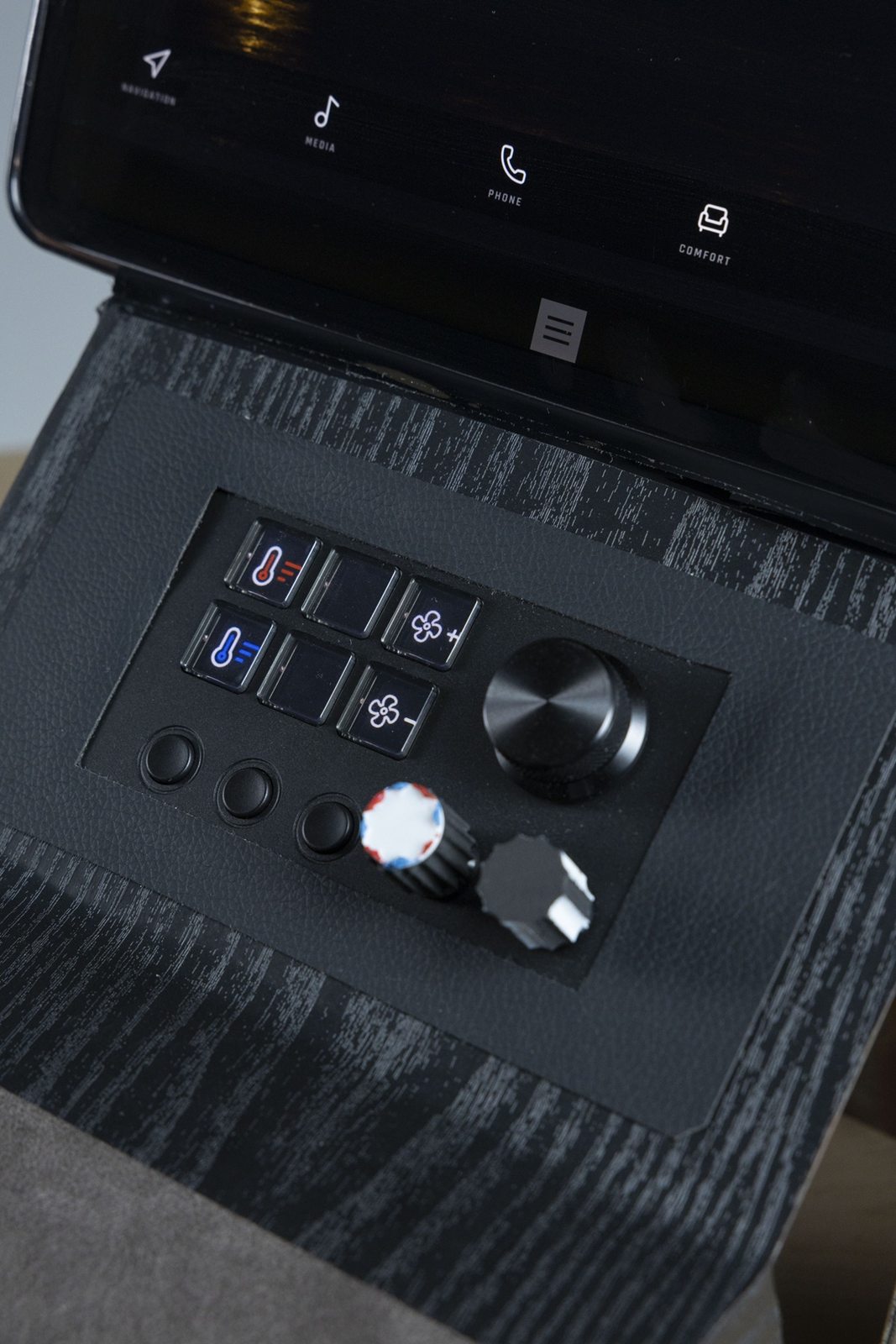
To move beyond the limits of the macro pad, I designed 3D-printed knob covers that fit onto its existing rotary controls. Each explores a different combination of form, edge profile and texture.
The smooth cover feels neutral but offers little guidance. Ribbed and scalloped versions give a stronger grip and a more recognisable identity, making the two rotary controls easier to tell apart without looking.
The covers begin to create a hierarchy of touch, in which form itself helps to communicate function.
Cost and gearshift redesign
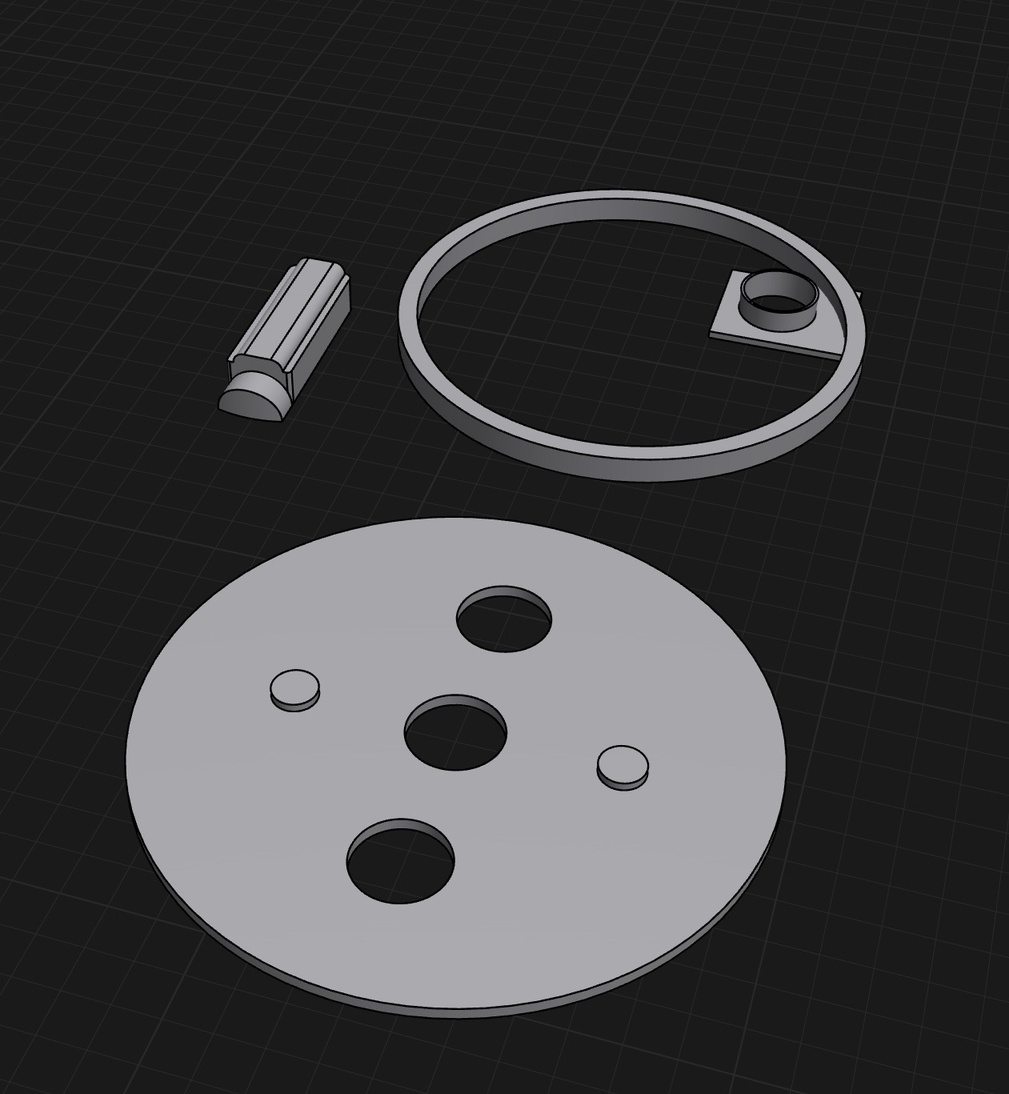
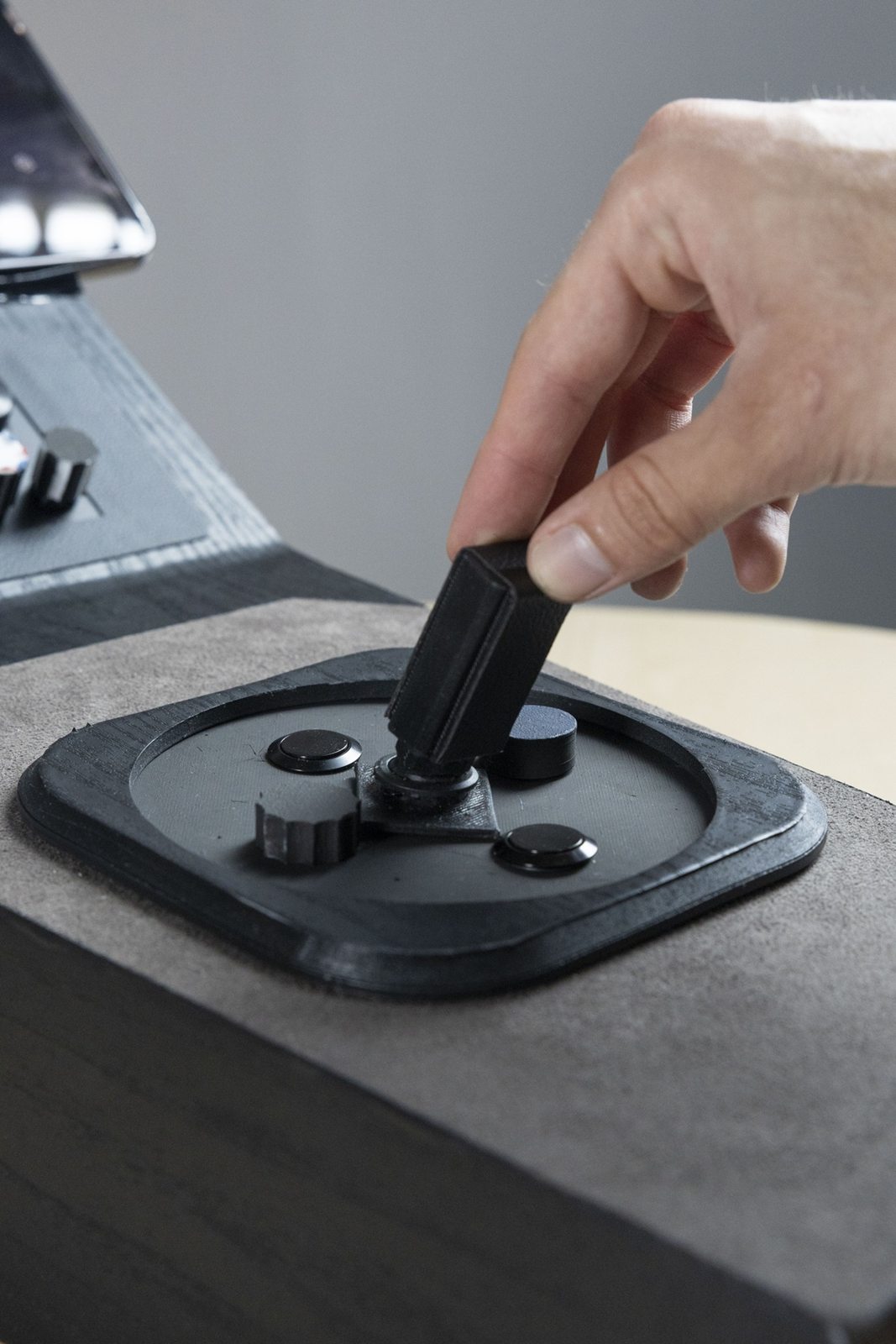
The original concept used a rotating gearshift platform, so the whole control area could change orientation to suit the driver. This added mechanical complexity to a component that has to be robust, reliable and realistic for production.
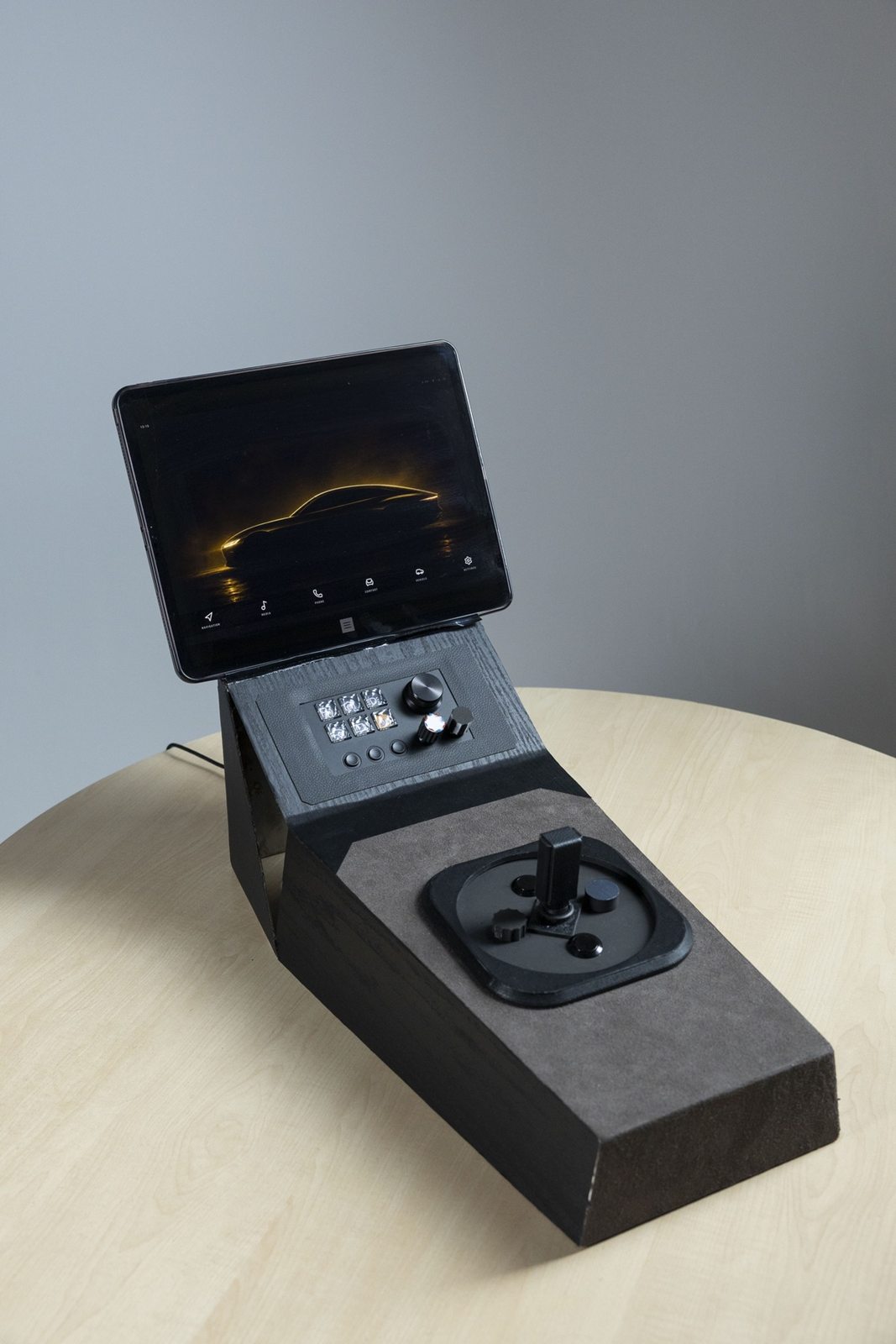
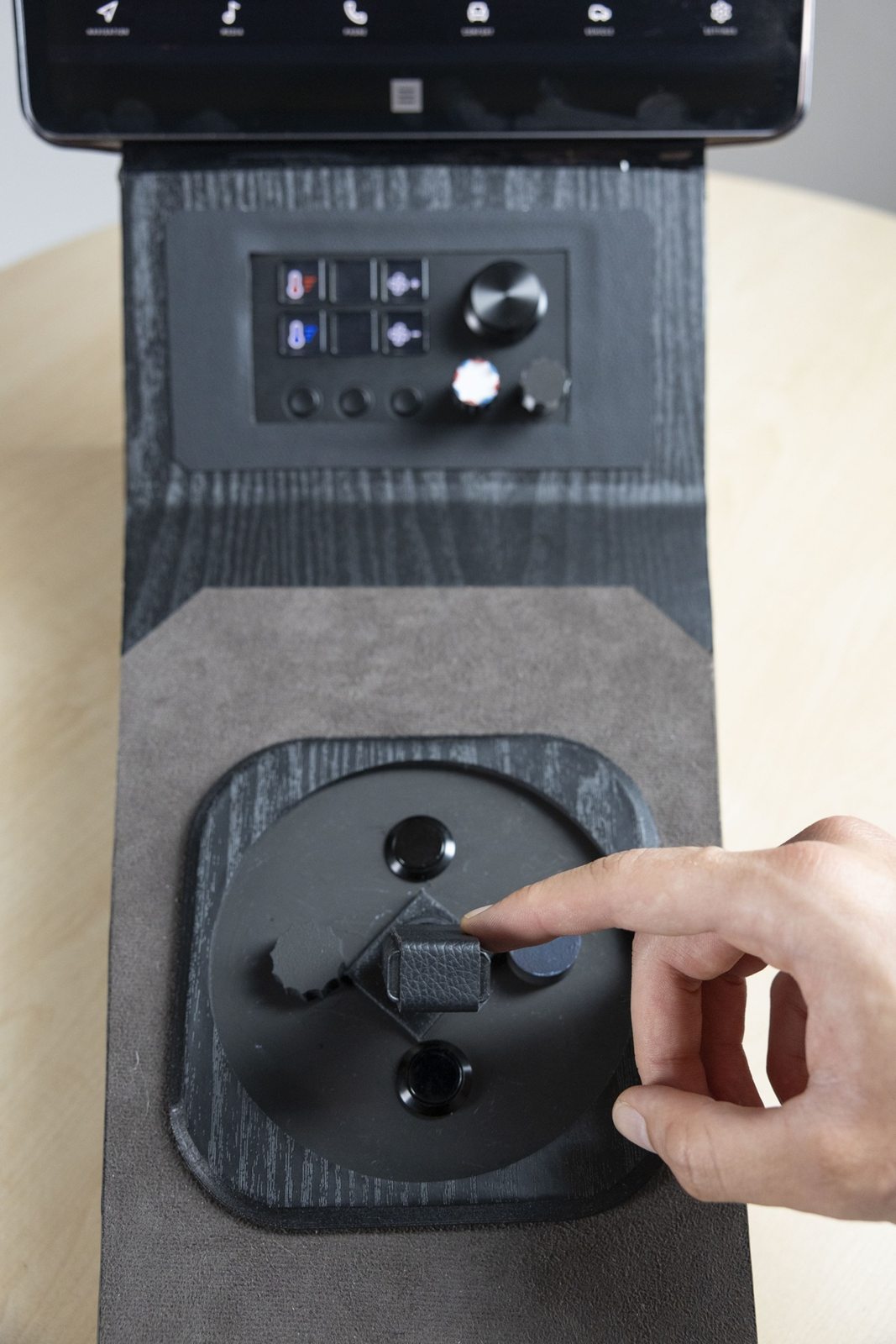
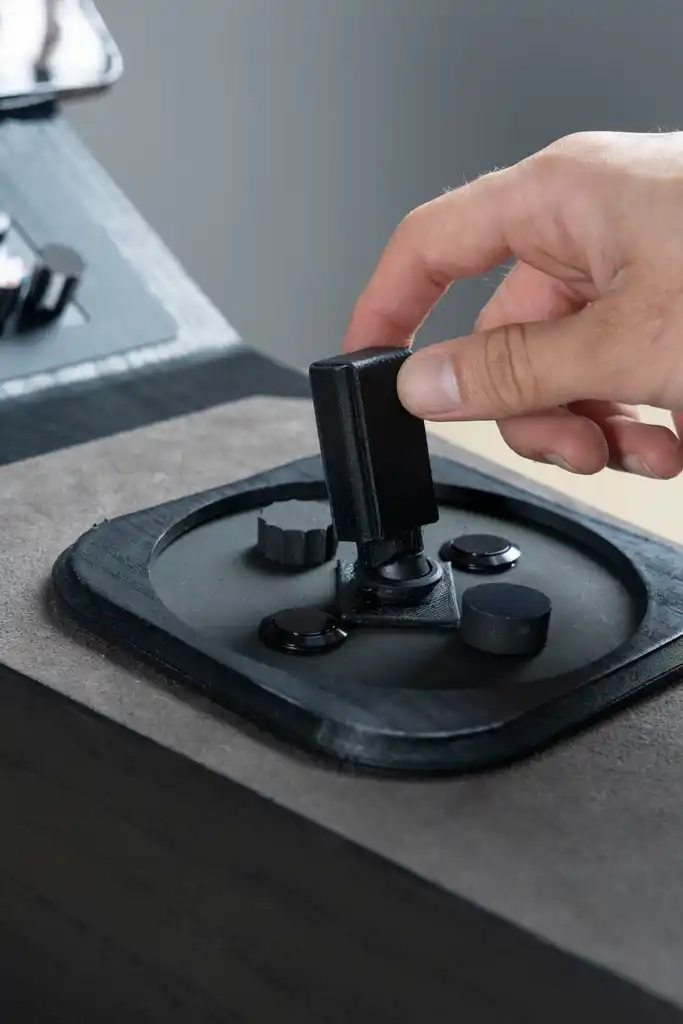
Looking again through cost and manufacturing efficiency, I fixed the gearshift in a central position. The surrounding controls can instead be repositioned around it, letting the driver set a preferred layout without moving the main mechanical part.
The idea of personalisation is kept, but achieved through a much simpler architecture.
Final design decisions
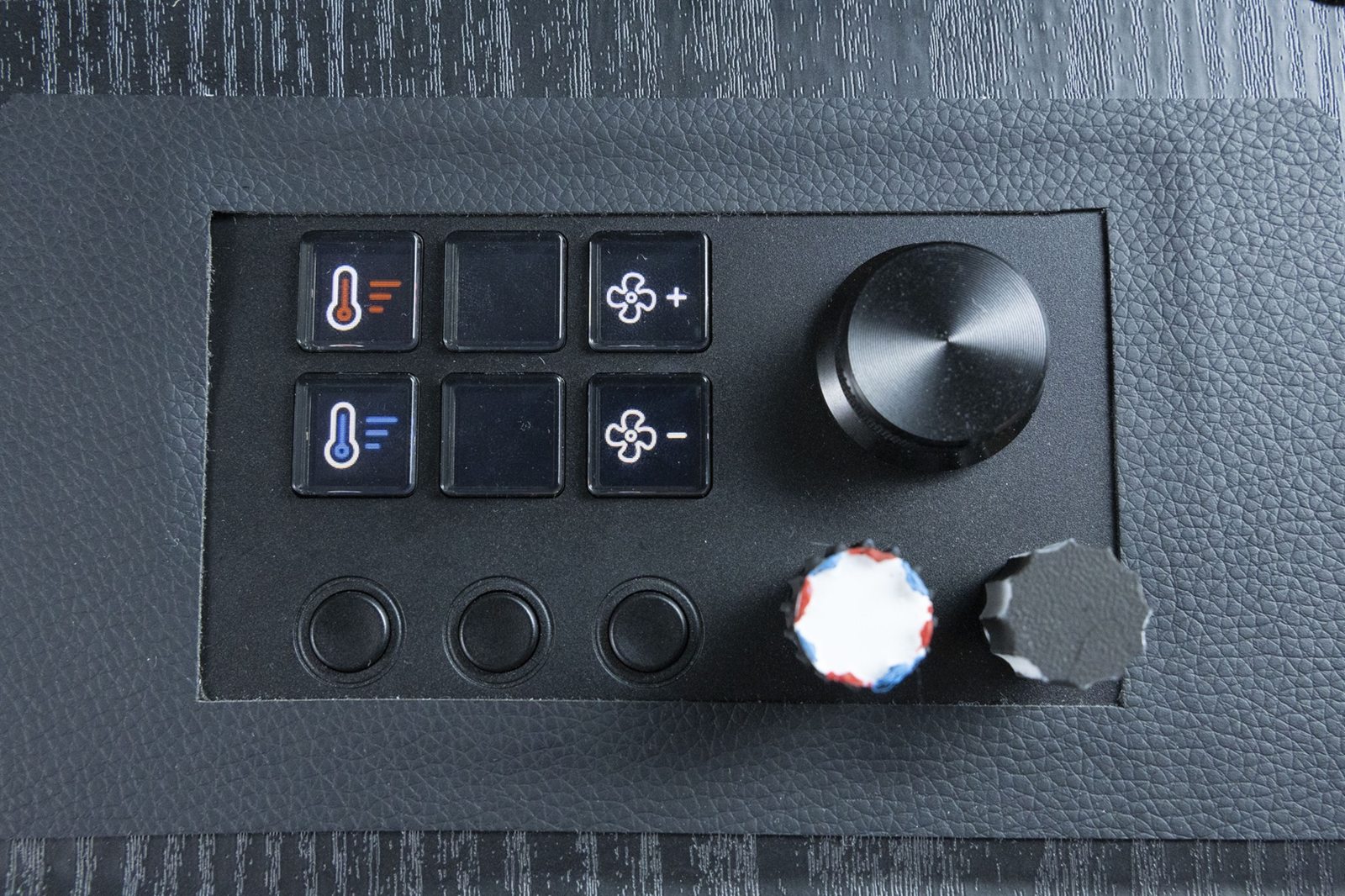
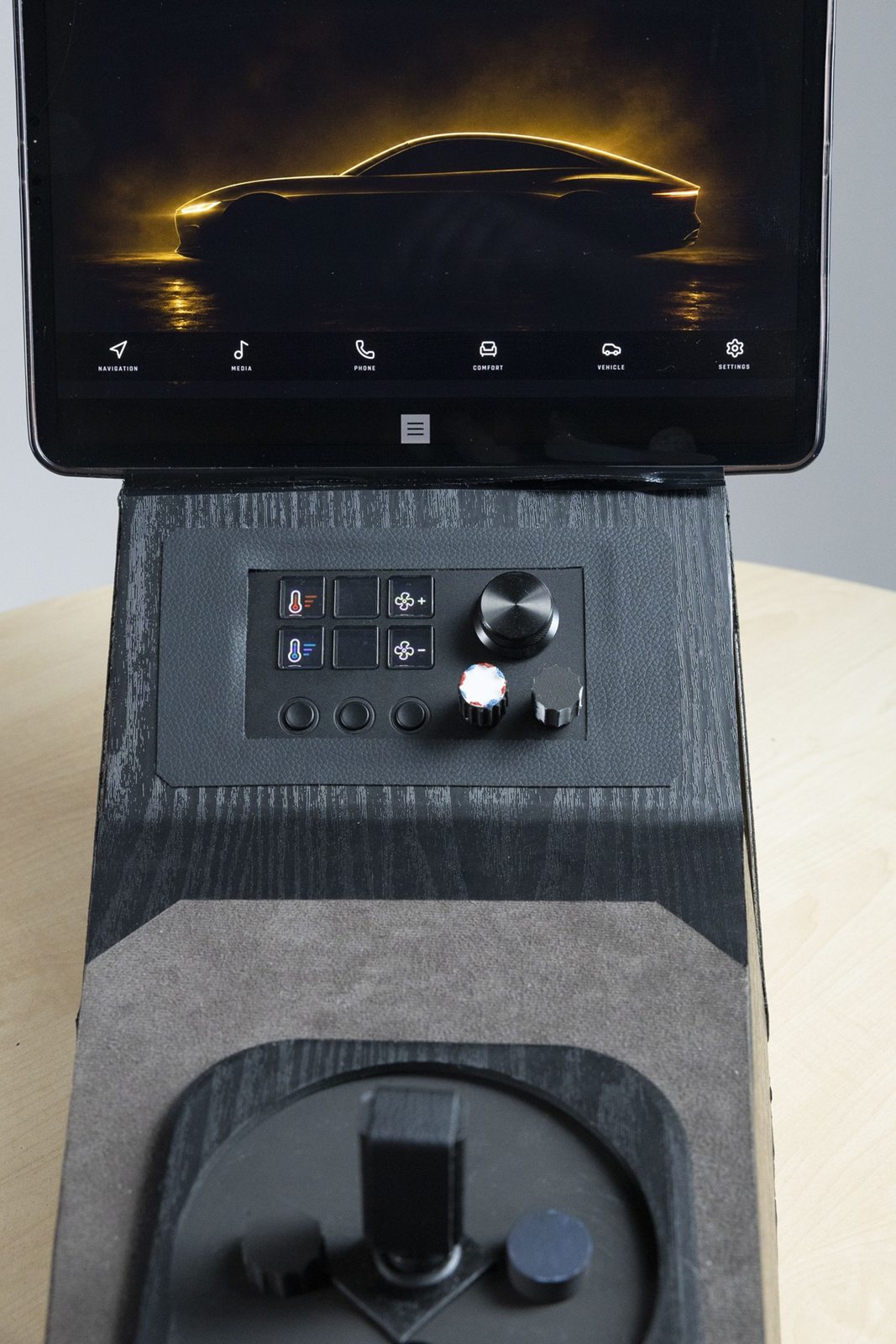
The final controls combine form, texture and colour so that functions can be recognised with minimal visual attention.
The left control adjusts temperature: red and blue accents around the top give an immediate association with hot and cold. The right control adjusts fan speed: black and white sections around the sides create a progression that represents intensity.
Giving each control its own visual and tactile language builds a stronger hierarchy, so the driver can tell both which control they are touching and what it represents.
- Colour →
- Communicates function and direction.
- Form →
- Distinguishes controls through touch.
- Texture →
- Improves grip and tactile recognition.
- Position →
- Supports muscle memory.
Eyes-free driving test
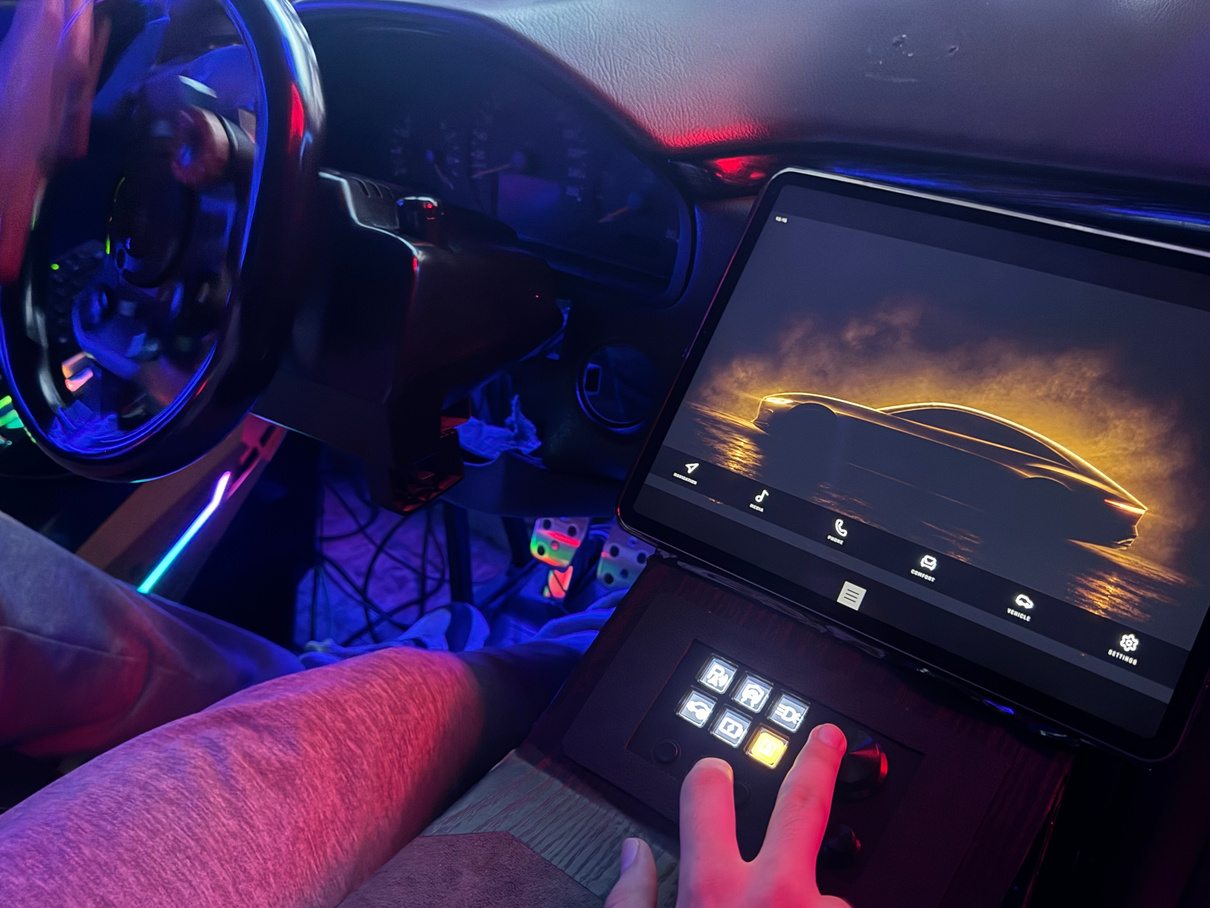
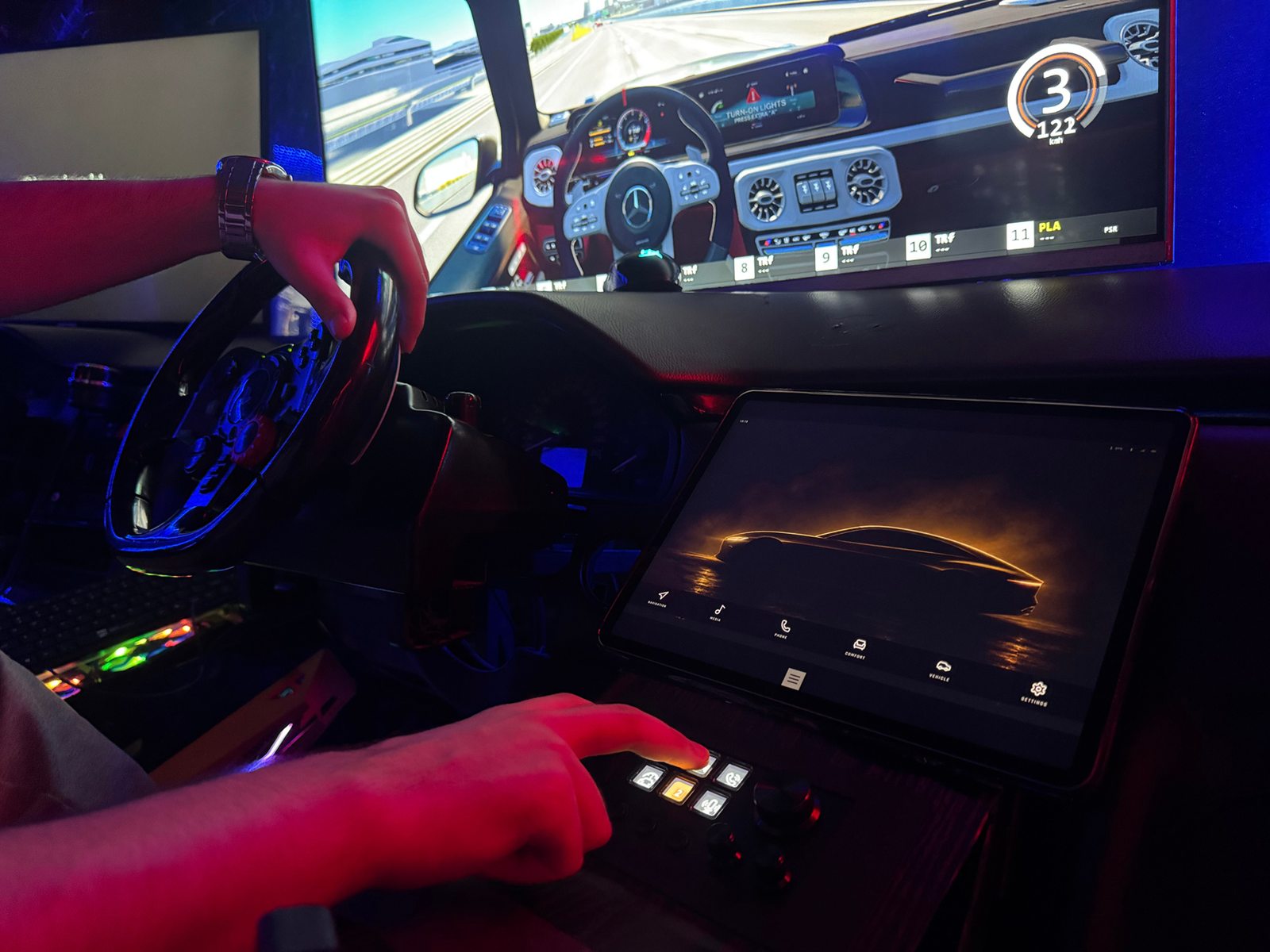
To evaluate the design in a more realistic setting, I integrated the prototype into a driving simulator. Three participants with driving experience completed the same common vehicle tasks while driving, first with the touchscreen only and then with the physical controls.
With the touchscreen, participants needed to look to locate a control and to confirm that an input had registered. With the physical controls, performance improved after a short learning period: controls were found by position, shape and texture, and their movement confirmed the input.
- Lower visual dependency →
- Remembered position and tactile differentiation reduced the need to look at the interface.
- Fewer selection errors →
- Errors became rare once participants were familiar with the layout.
- Tactile confirmation →
- Physical movement confirmed an interaction in a way the touchscreen did not.
- Main insight →
- Knowing where a control is located is only part of eyes-free interaction. Knowing that the interaction has happened is equally important.
Industry consultation
I discussed feasibility, cost and physical interaction with Kıvanç Karslı, an automotive display specialist at Vestel. He supported the direction, noting that physical controls let drivers interact more intuitively without continuously looking at the display.
He also pointed out that six individual display buttons add component and manufacturing complexity, and suggested one shared display divided between several physical controls, with a physical layer above it to keep real movement and tactile feedback.
Proposal in context
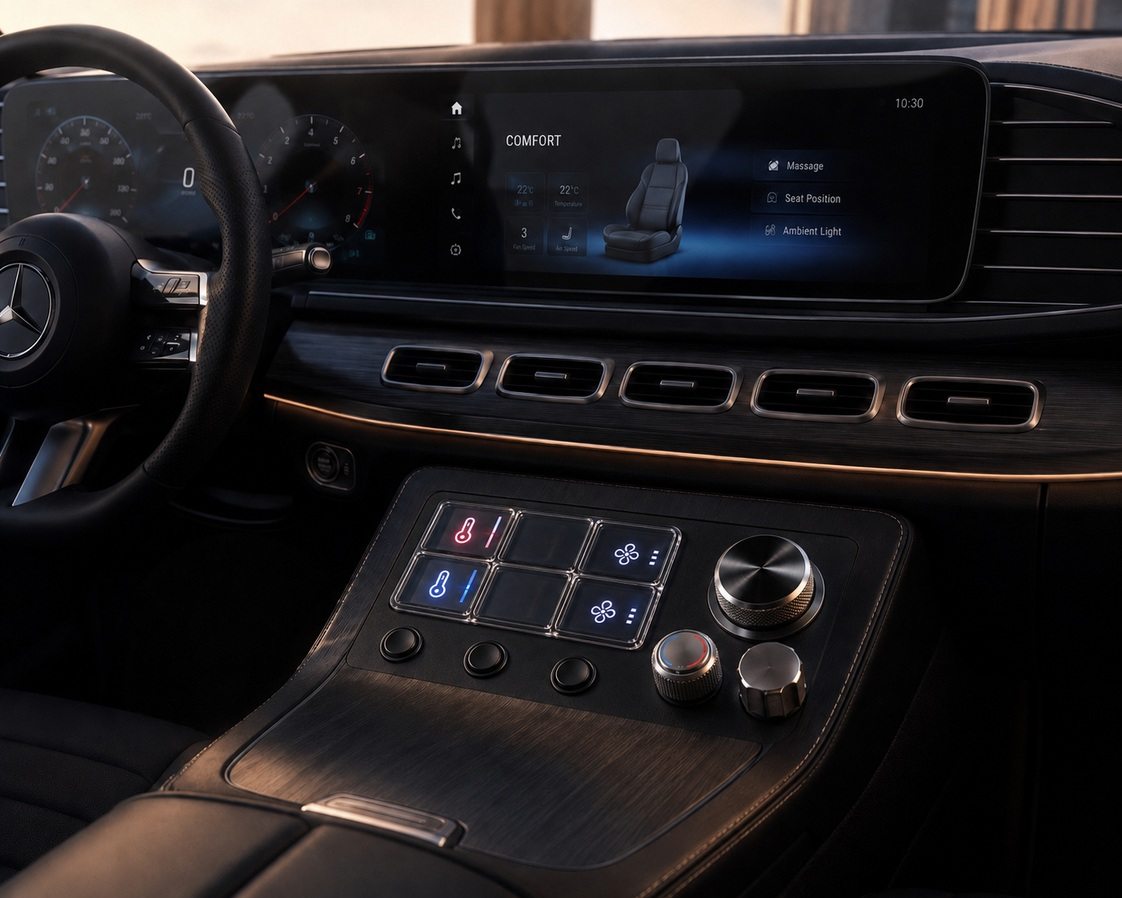
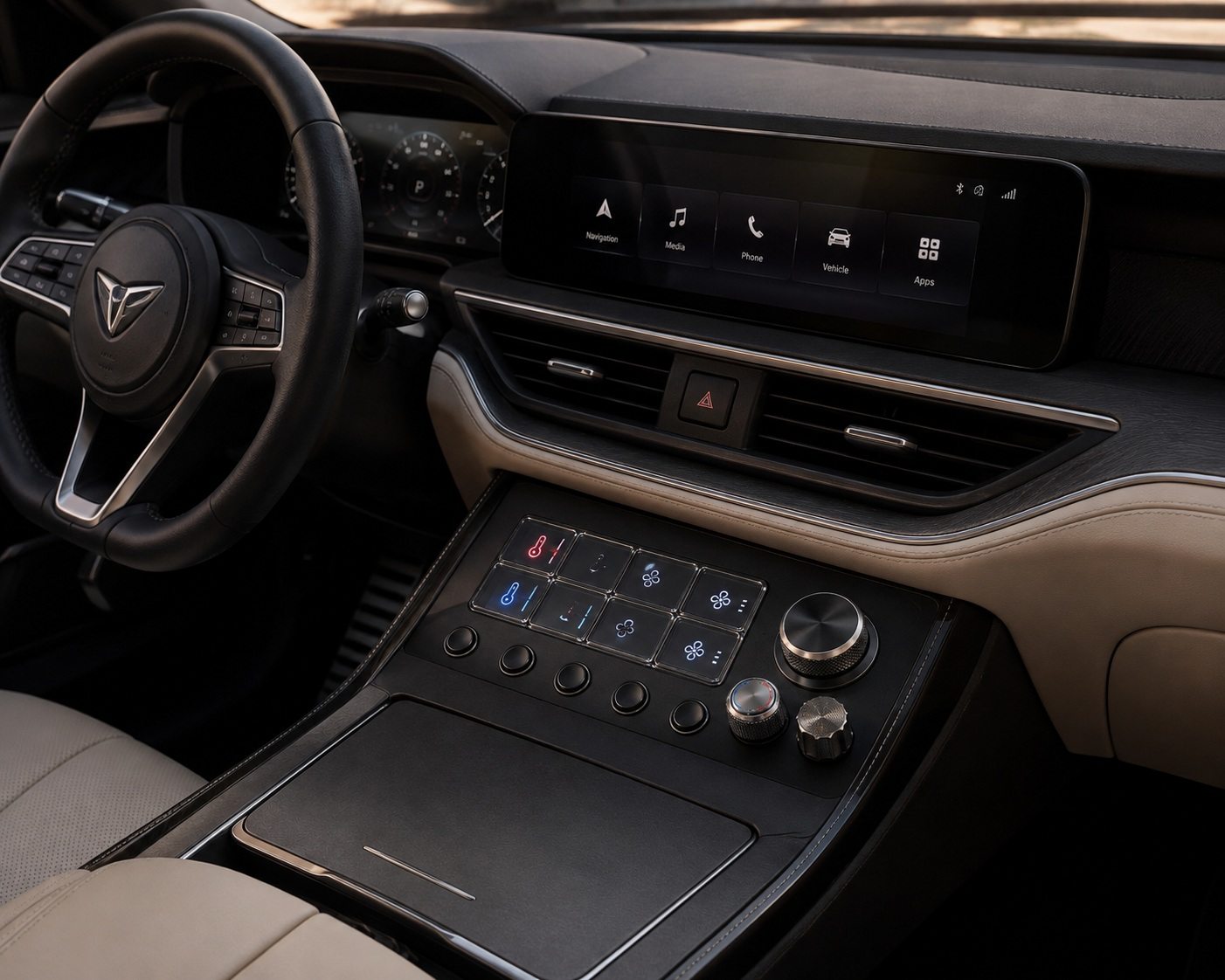
Following the consultation, I developed rendered proposals showing how the system could sit within a real interior. The six separate displays are replaced by one screen with a transparent physical separator above it, creating six identifiable interaction zones.
The tactile rotary controls remain alongside the display. The proposal balances tactility, digital flexibility, manufacturing cost and eyes-free interaction, as an alternative to both button-heavy dashboards and fully touchscreen interiors.